
Inside the app
See Scoop in action.
Seven screens. Every core feature. A visual tour of how Scoop brings your accounts, trust signals, connections, and real-world activity into one place.
01
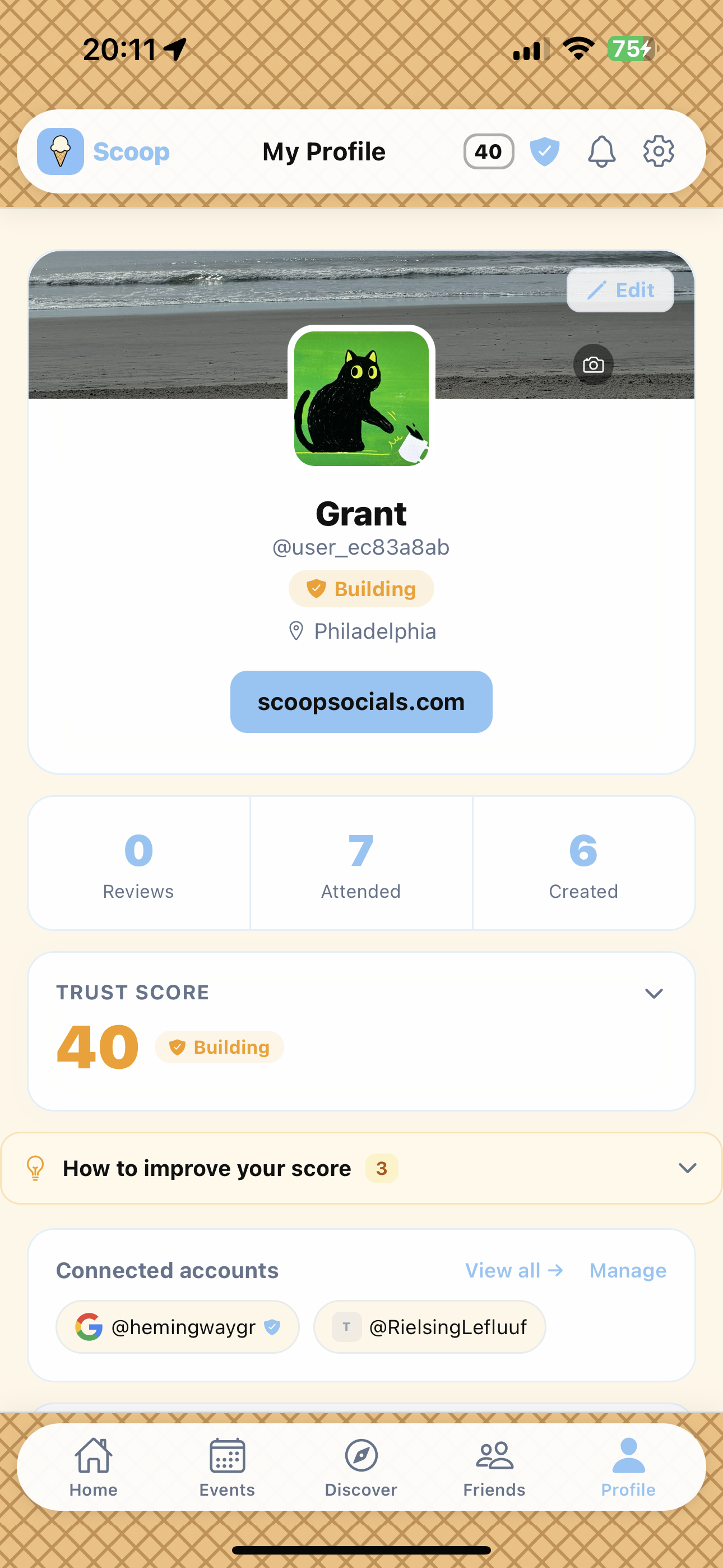
Your online identity, in one place.
Your Scoop profile brings together the accounts, trust signals, events, and Scoops that help show who you are online.
Profile · accounts · Trust Score · activity
02
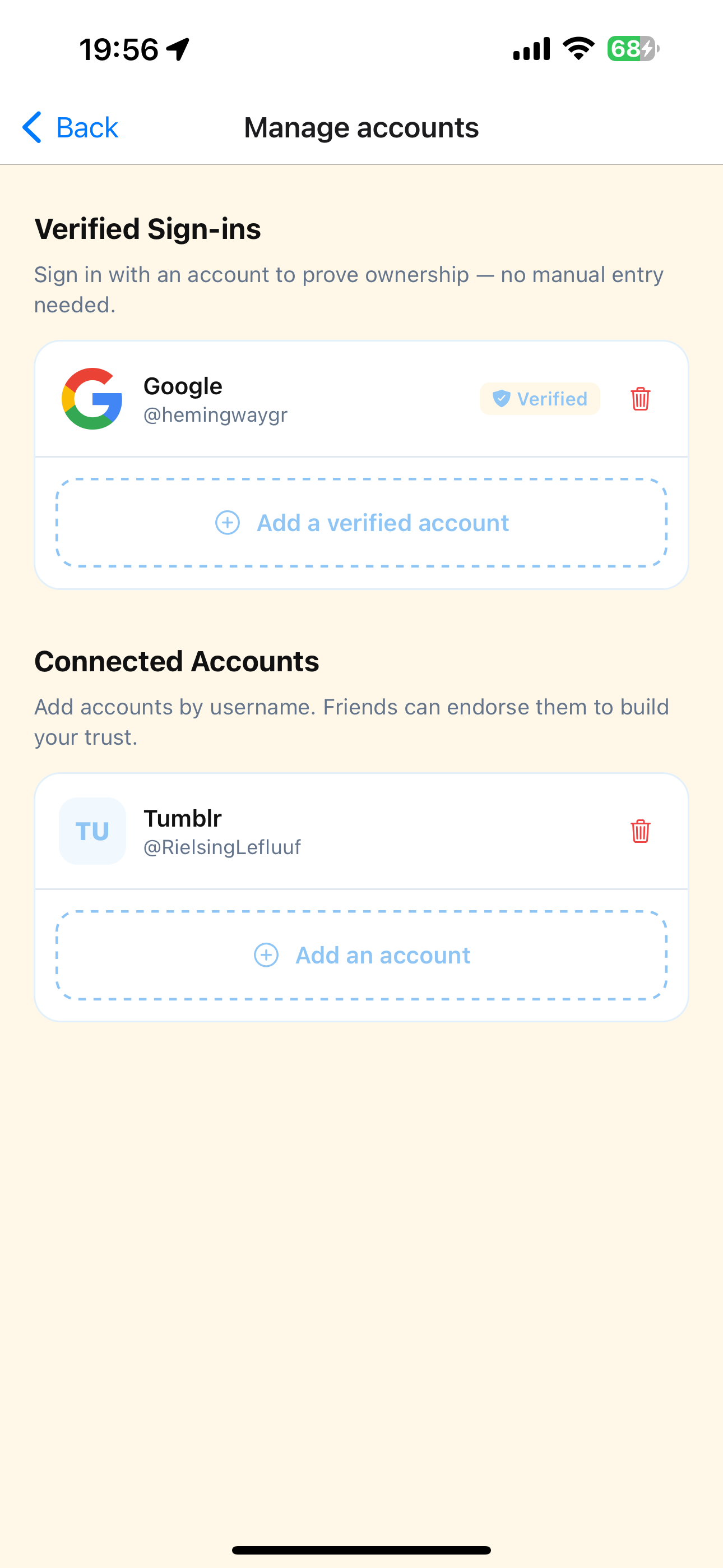
Bring together the accounts you already use.
Connect supported platforms to verify ownership. Add other accounts and profiles manually — including platforms that are not listed.
Verify some. Add the rest.
03
A Trust Score that shows its work.
Built from 12 visible components — verified accounts, event participation, Scoops, connections, and platform activity. Every component is itemized.
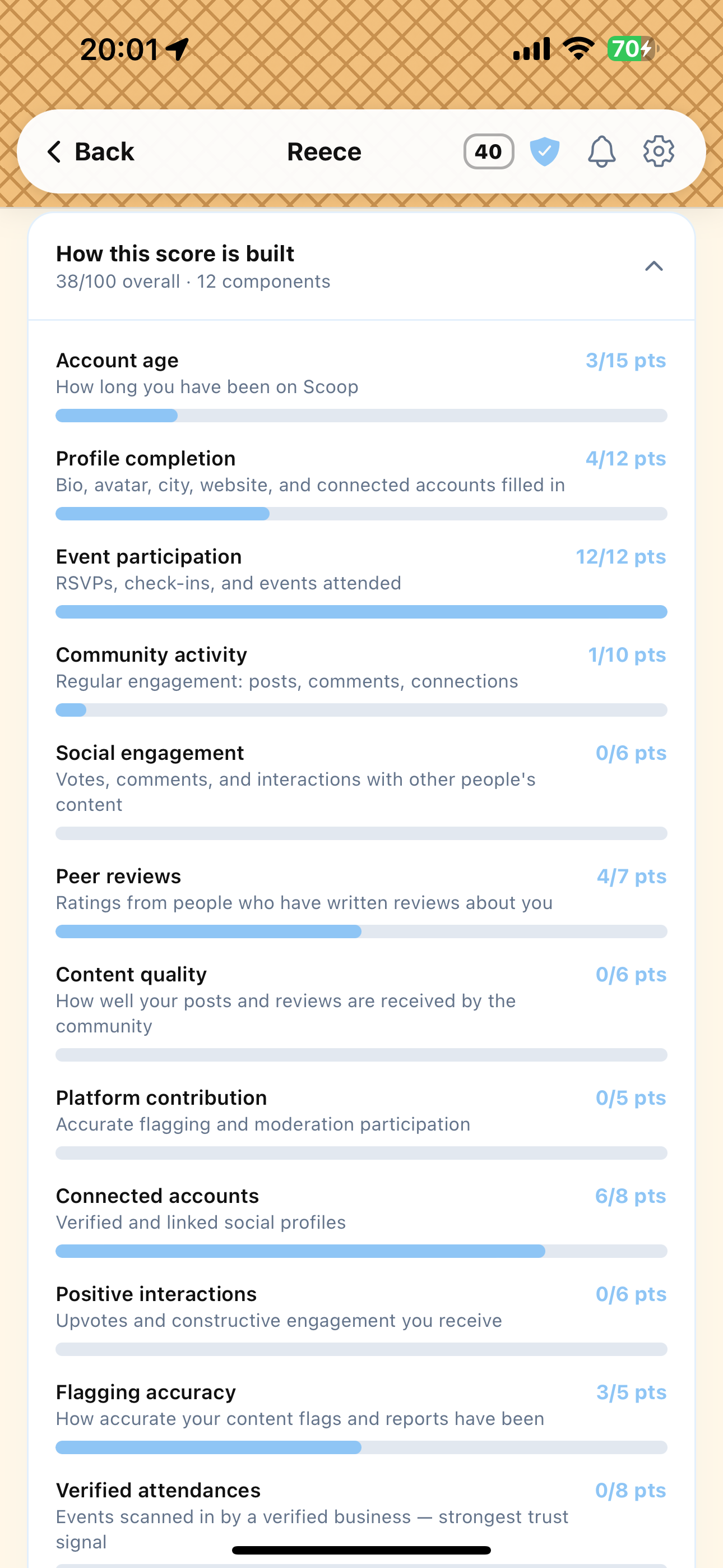
100 points · 12 visible components
04
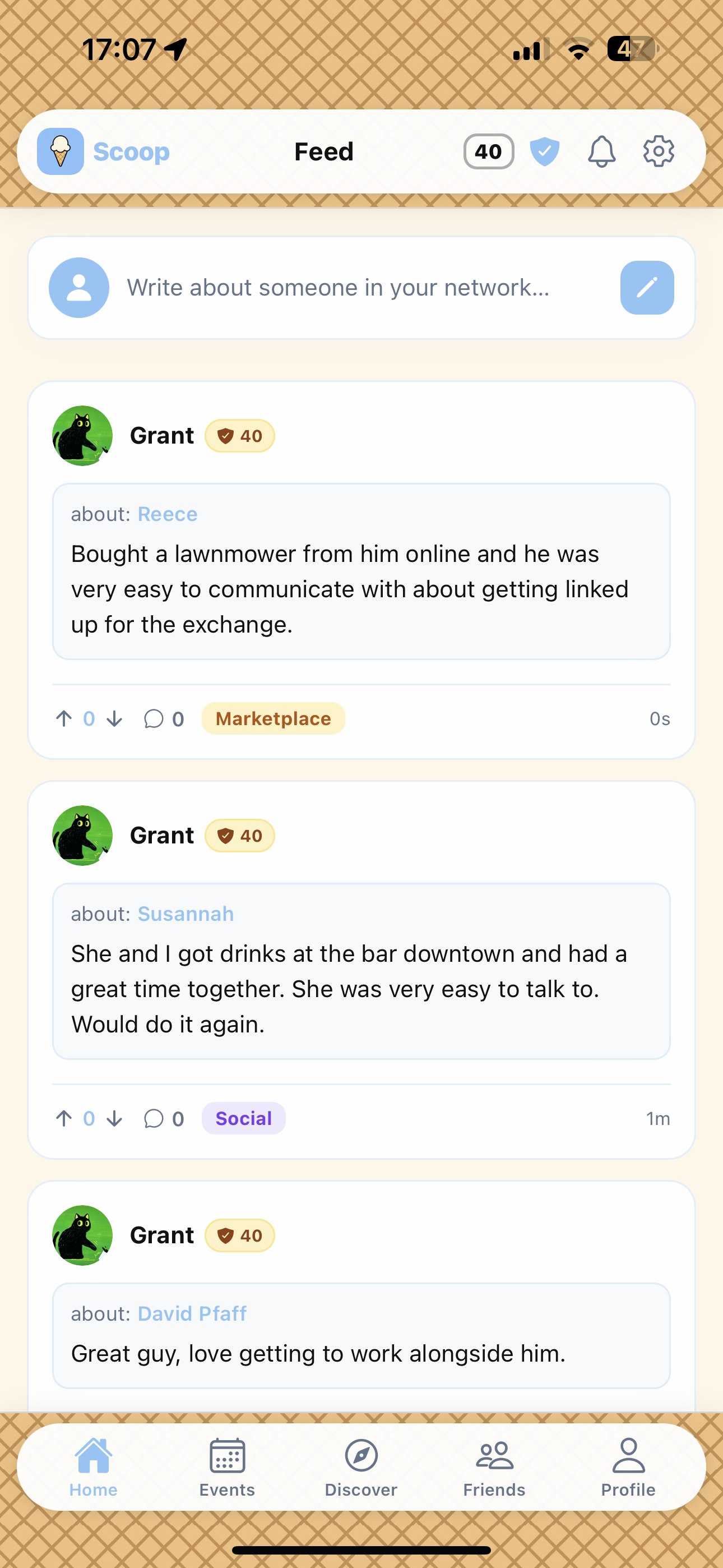
Know more before you connect.
The feed shows first-hand accounts from verified users about real interactions — social plans, professional encounters, and marketplace exchanges.
Scoops tied to verified accounts
05
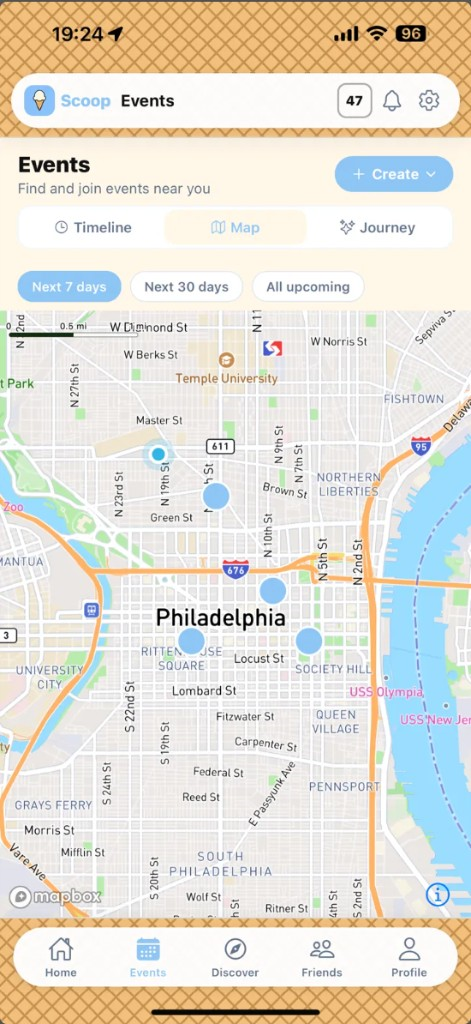
See what is happening near you.
Browse events on the map or timeline. Every event is posted by a verified Scoop user. Multi-stop plans become a Journey.
Map · timeline · verified hosts
06
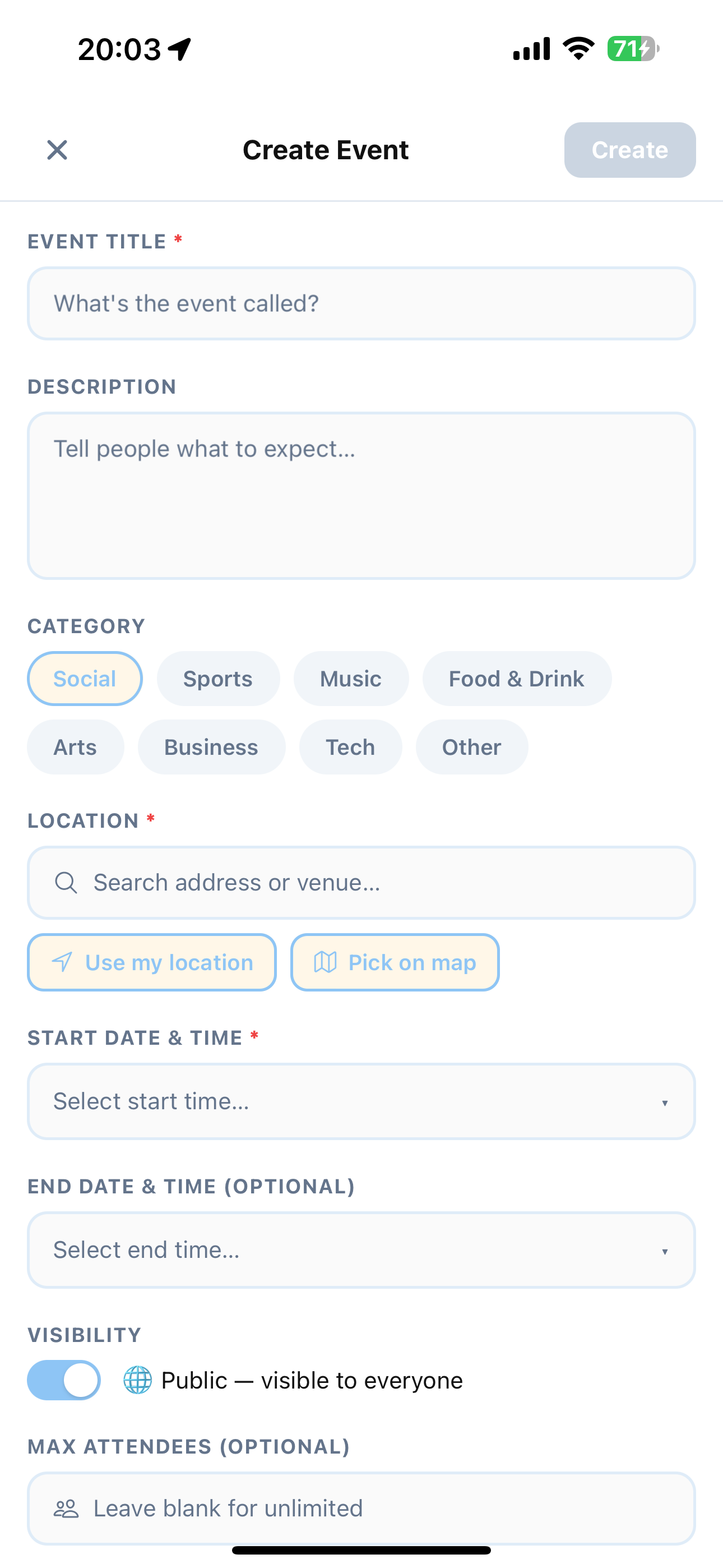
Host events for verified users.
Create an event, set visibility and capacity, and manage RSVPs from verified Scoop users before the door.
Visibility · location · RSVPs
07
Follow the night, stop by stop.
A Journey turns a multi-stop night into a route you actually follow. Check in as you arrive. Drop in a stop on the fly when plans shift.
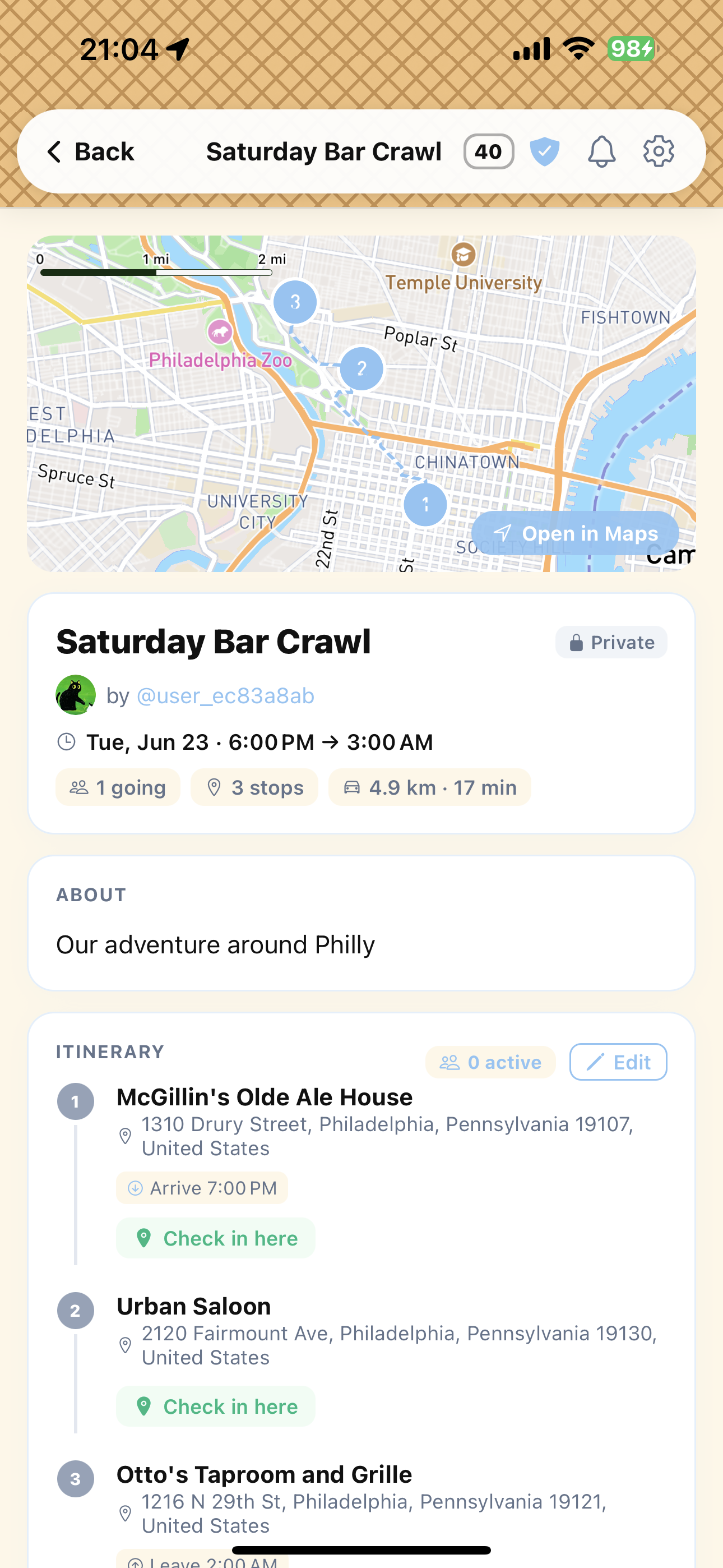
Route up top · itinerary below
We verify ownership. We do not take control. Supported platforms connect through Auth0 — Scoop never stores your platform passwords.
How verification works →Ready to try it?
Available on the App Store for iOS.